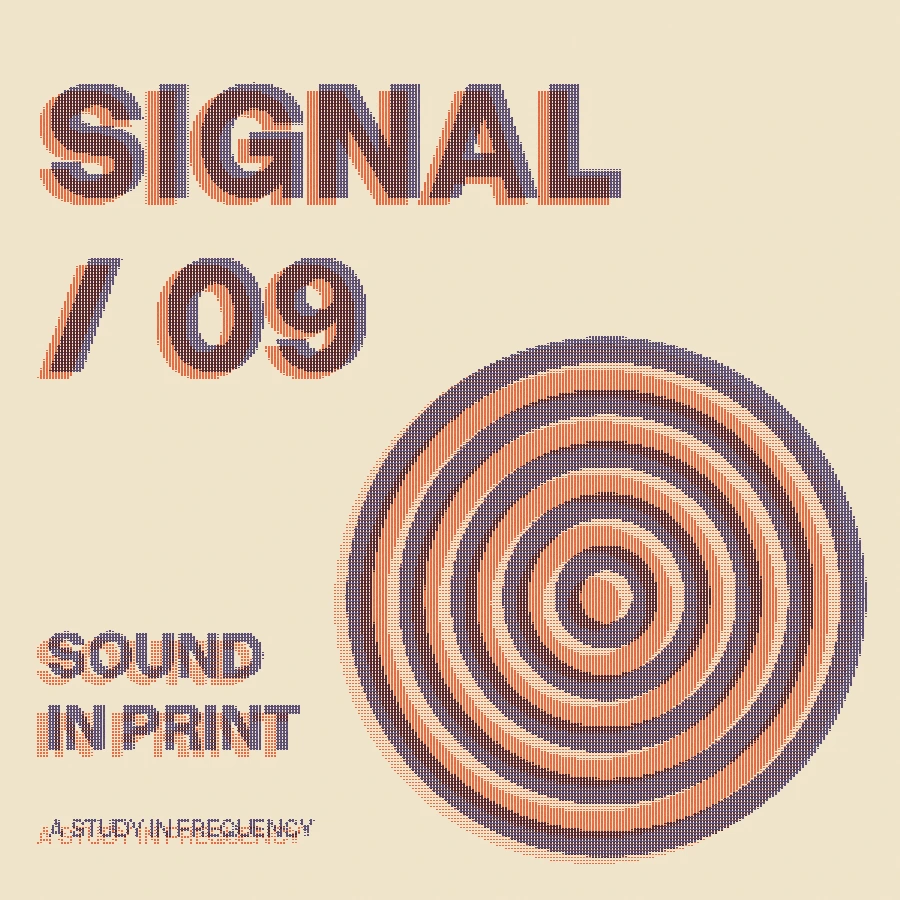
Make this look in three steps
- Open the Signal / 09 recipe, or replace its source with your own image.
- Choose Ink one, Ink two and Paper. Adjust registration for shifted layers, coverage for ink strength and grain for an uneven surface.
- Review the result at final size and export PNG. Pro SVG preserves the rendered appearance as vector pixel geometry; grain can produce large files.
What is being simulated?
The renderer makes two dot screens from the source’s color channels, offsets them in opposite directions and multiplies their ink colors over the paper. A spatially stable grain pattern varies coverage. It suggests imperfect print registration without claiming to model a particular duplicator, ink stock or physical paper.
How much registration is enough?
Begin with a small offset on type and fine details. Larger offsets separate the colored edges and can make small letters difficult to read. The poster recipe uses a stronger offset deliberately; the music sleeve uses a smaller one.
Will the grain change on export?
The texture is derived from the same saved seed and pixel positions in the preview and exporter. Enlarged PNG exports scale those rendered pixels. Pro SVG follows the same rendering, using pixel geometry where needed; a heavily textured image can be expensive to edit as vectors.
Preparing artwork for physical print
This effect creates a composite image. It does not export printing plates, spot-color separations or production screen angles. Take the artwork into your production workflow and confirm dimensions, colors and file requirements with the printer.
Free, Pro and your source files
Processing happens in your browser. Free image exports include 1× and 2× PNG and publish a small preview to the public community gallery. Pro skips gallery publication and adds 3× PNG, SVG and silent WebM video export. Use material you have the rights to upload.
Try it in Make ↗