Enhancing AI-generated images involves two different tasks: increasing their pixel dimensions and improving how their details look. An upscaler can do both, but a larger file alone is not proof of a better image. This guide explains what to check, how to use MAKE, and when a different tool is the better fit.
Start with the right original
ChatGPT, Midjourney and Adobe Firefly are places to generate creative images. Choose the service that suits your creation workflow, then download its original export at the highest available resolution. Features and output limits depend on the model and plan.
Use the generator to fix composition, incorrect objects or lettering first. Enhancement is a finishing step, not a reliable way to correct an extra finger or reconstruct a logo. If your generator already offers an upscale, compare that result before paying for another pass. Midjourney documents its built-in upscalers here.
Why a good generated image can still look soft
Not every AI image is low resolution. But a crop, a compressed download or a small source stretched across a large layout can expose its limits. Some images have enough pixels yet still contain smooth, indistinct fabric, hair or material textures. Those are different problems.
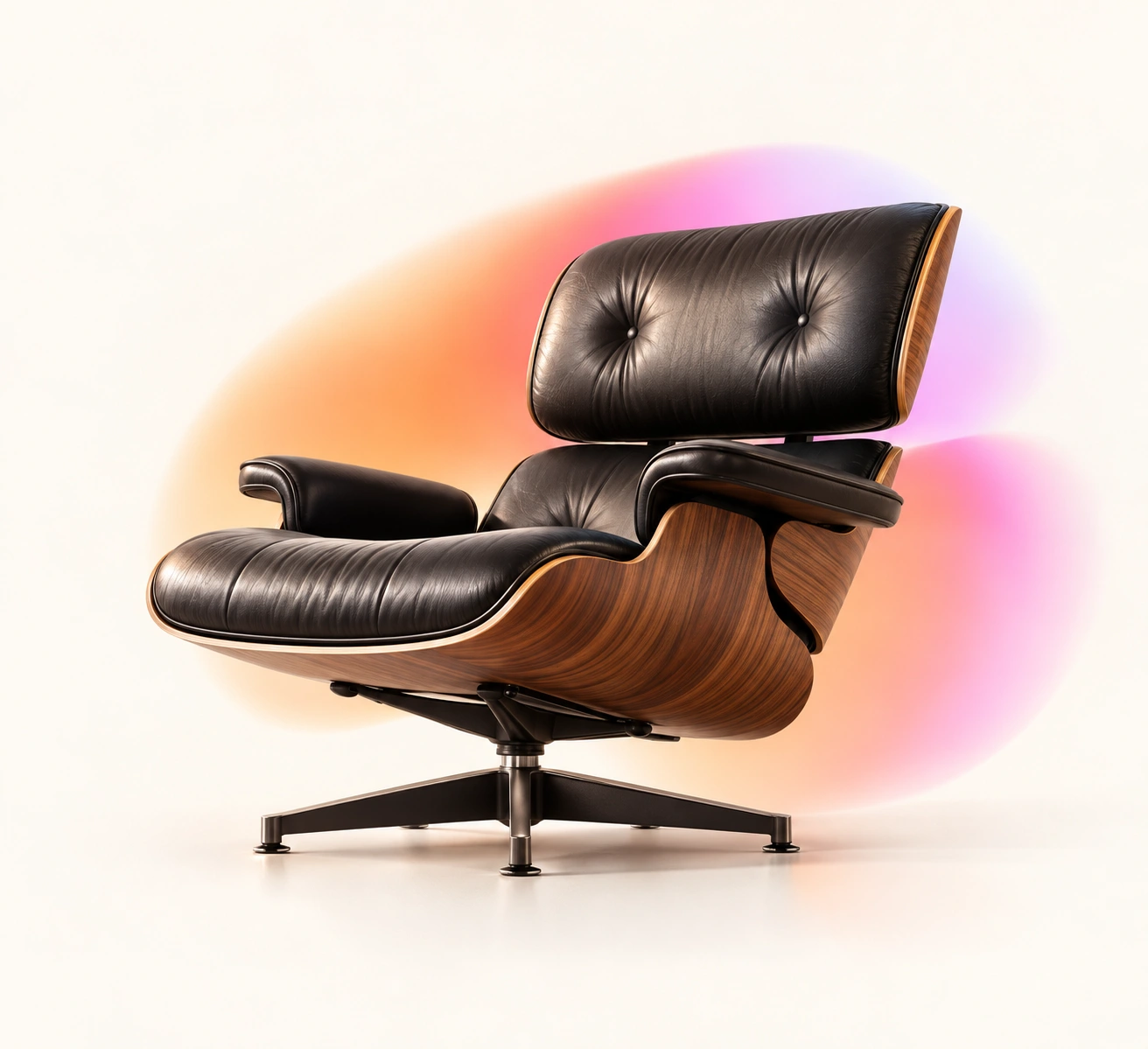
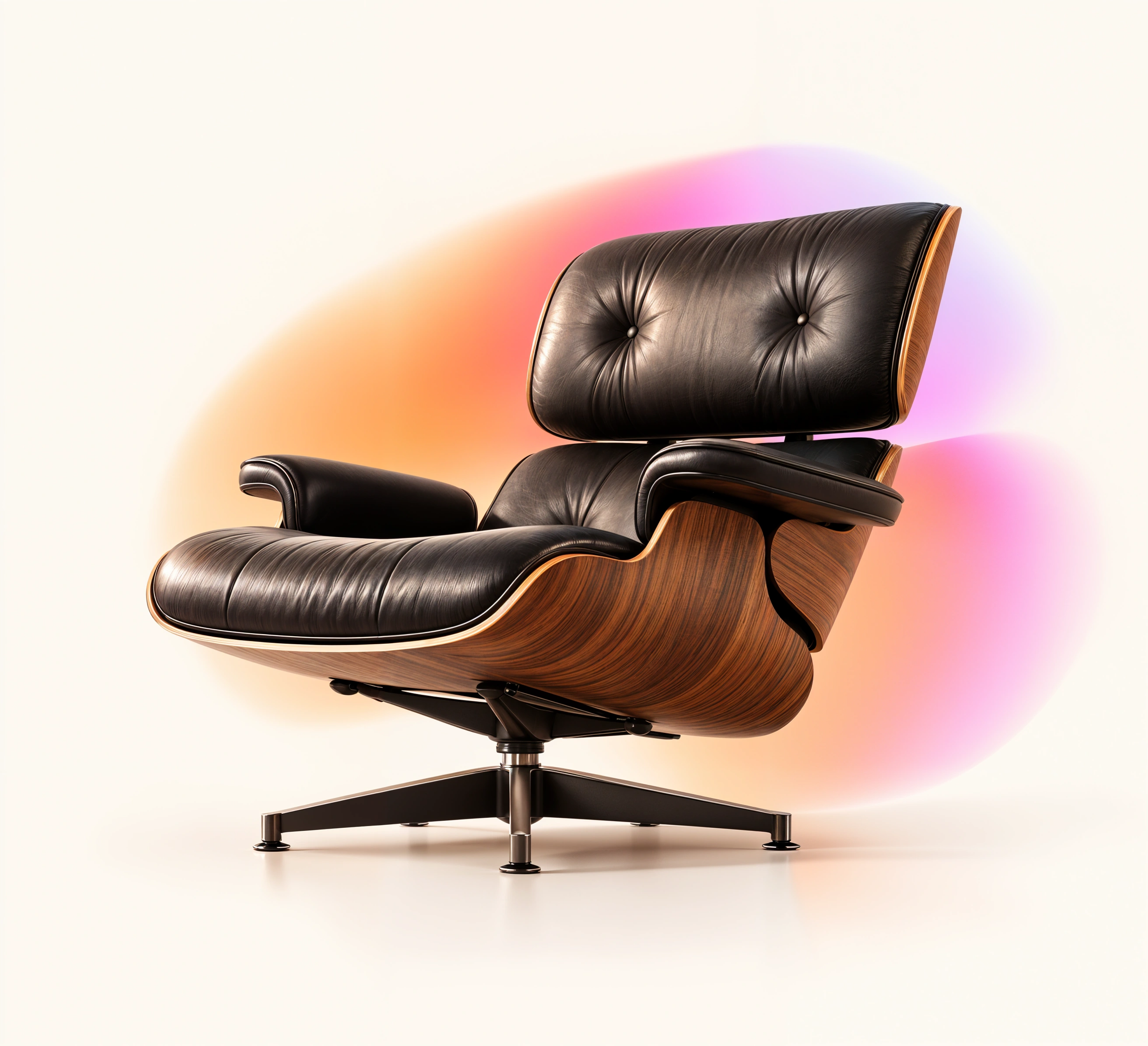
Ordinary resizing interpolates pixels. Generative enhancement also proposes new detail. That can make an illustration or imagined object more convincing, but the added texture is an interpretation—not recovered evidence of something that existed in the original.
How to enhance your image with MAKE
- Download and inspect your source. Keep an untouched original. Check the composition, text and shapes before enhancement.
- Open MAKE Enhance and sign in. The current beta requires an invited account. Request access at tech@neue.world.
- Choose an image. Upload PNG, JPEG or WebP, up to 10 MB, 3 megapixels and 2,048 pixels per side. If the file exceeds those limits, prepare a smaller copy and retain the original.
- Select Enhance image. MAKE uses a gentle 2× setting. There is no prompt to write or model to select. Doubling width and height produces four times the pixel count.
- Compare the result. Use the comparison slider to inspect texture and overall appearance. Check faces, seams, logos and letters. If your source has transparency, inspect the outline on light, dark and checkerboard backgrounds.
- Download the PNG. Save it promptly, inspect it at 100% in your preferred editor, and place it in the actual layout. If you want texture effects, upload the downloaded file to MAKE Effects. Direct transfer is planned.
MAKE sends the image to Replicate for processing. It does not publish enhancement results to its public gallery. The current source is saved on your device to help recover an interrupted session.
 Original
 Enhanced
Choose the test that matches your image
AI artwork: compare the style and texture, not just sharpness. Product concepts: inspect seams, buttons and material boundaries; avoid treating generated details as accurate product documentation. Transparent PNGs: look for light or colored fringes. Restoring transparency does not automatically remove pre-existing halos.
Images for printing: divide pixel dimensions by the intended pixels per inch to estimate print size. For example, 3,000 pixels at 300 pixels per inch covers 10 inches. That calculation describes pixel density, not a guarantee of convincing detail. Make a physical test print for important work.

MAKE, Topaz, Let’s Enhance or a free desktop tool?
There is no universal winner. The useful question is how much work you need the tool to do—and how often you will use it. Pricing below was checked on September 25, 2026; promotions and plan terms can change.
| Tool | When to consider it | Price context |
|---|---|---|
| MAKE Enhance | A simple finishing pass for selected AI-generated assets, with no prompt or model selection. | Invite-only beta now. Planned: $9/month for 100 enhancements; $5 for 60 additional credits. Checkout is not available yet. |
| Topaz Image Web | A wider set of enhancement tools and frequent processing. | Advertised promotional $12/month with unlimited image rendering, subject to plan limits. The broader feature set can be better value for heavy use. |
| Let’s Enhance | Larger output sizes and a broader enhancement workflow. | 100 credits: $12/month billed monthly or $9/month billed annually. Its entry paid plan advertises output up to 256 MP. |
| Upscayl Desktop | Local processing when you are comfortable installing software and have suitable hardware. | Free and open source. A useful option if minimizing software spend is the priority. |
MAKE’s planned $9 monthly entry is lower than those two monthly web offers, but MAKE currently has tighter input and output limits. Choose it for the focused workflow and a result you like—not a claim that it beats every alternative.
A ChatGPT image upscaler workflow, without another prompt
Export the image you like from ChatGPT, check its dimensions and follow the MAKE steps above. The same file-based workflow works for Midjourney exports and other generators. MAKE is an independent tool, not an official integration with these services.
If you are searching for an AI art upscaler or PNG upscaler, start with one representative image. Evaluate whether the result reduces the work left in your project. A sharper image that changes the wrong details is not an improvement.